
Discover Celestium
Astrology software for everyday practice.
A complete working environment for anyone learning astrology, researching it or working with it. Celestium brings charts, calculations and background information together in one well-organised place.
What is Celestium?
Your charts. On your computer.
Celestium is available for Windows and macOS and runs its calculations locally on your own computer. Your charts are stored locally and stay available to you, with or without an internet connection.
Windows and macOS
One program, with the same capabilities on both operating systems.
No internet needed
Calculations and saved charts stay available without an internet connection.
Maps when you need them
For Astrocartography and Local Space in Celestium Pro, Celestium fetches map material from OpenStreetMap. That does need an internet connection.
The platforms, and what does need a connection
Both platforms have the same calculations and the same screens. Printing goes through the PDF on both: you export the PDF and print that.
Only the maps in Astrocartography and Local Space, in Celestium Pro, fetch their map material from OpenStreetMap.
Who is it for?
For people learning the craft, and people practising it.
Celestium is built for serious beginners, students of astrology, and astrologers who put their knowledge to work in practice. You can start with your very first chart and keep using the same environment as your knowledge and experience grow.
Working with charts
A new chart in a few steps.
Enter date, time and place and Celestium does the rest. You keep people in tidy folders, and your data is stored locally on your computer.
Finding places
Look places up directly in the bundled database.
Automatic time zone
Celestium works out the correct time zone and takes historical changes into account.
Backup and restore
Back up your data and restore it easily when you need to.
Place lookup and backups
The place comes from the database bundled inside the program.
Celestium takes its own backups: daily and on exit, and only when something has changed. The most recent three are never cleared away.
AI
A prompt, not a connection.
Celestium can put together a structured prompt from your chart for use with an AI assistant. You decide whether and where you use that prompt. Celestium makes no connection to an AI service in the process and sends no data itself.
The interpretation stays yours
An AI prompt can help you explore connections or ask new questions, but it does not replace astrological knowledge and interpretation.
Patterns
Patterns you see at once.
Celestium recognises astrological figures in a chart and shows where they sit. So you see not only the individual aspects but also the patterns they form together.
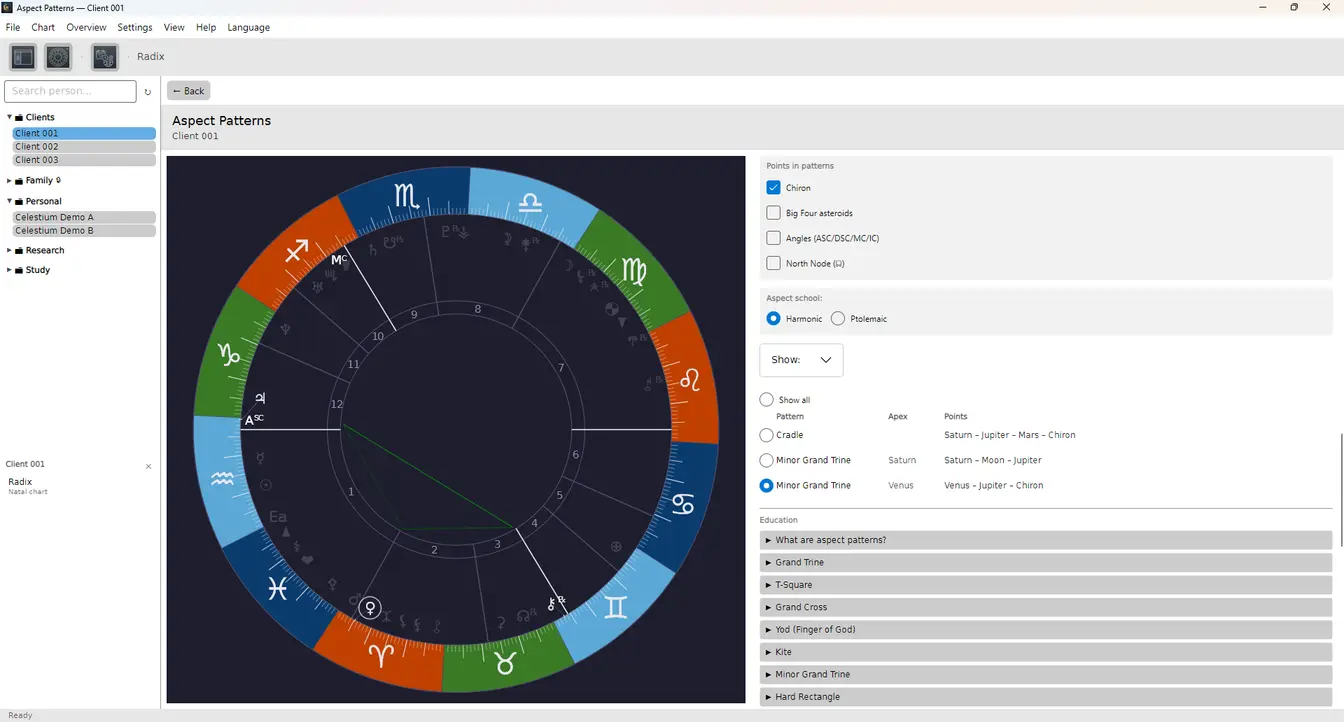
Which figures Celestium recognises
Grand trine, T-square, grand cross, yod, kite and mystic rectangle, along with the grand sextile, the cradle, Thor’s hammer, the boomerang, the golden yod and the stellium, around twenty figures in all.
It does the same for the shape of the chart as a whole, from bundle and bowl through bucket, sling, locomotive, splash, fan, splay and see-saw.
Calculation
Accurate where it counts.
Celestium calculates carefully with the data a chart depends on: time, place and astronomical positions.
Calculation
For its astronomical calculations Celestium uses the Swiss Ephemeris.
Place and time
Place data and historical time zones are taken into account so that date, time and location are handled correctly.
Checking the figures
Want to know where a result comes from? The Chart data screen lists the positions of the planets and houses and the figures Celestium calculated with, along with an explanation of what they mean.
Technical specifications
What follows is the fine print: which sources, which systems and which limits. You do not need any of it to work with Celestium.
- House systems
- Sixteen: Placidus, Koch, Whole Sign, Equal House, Campanus, Regiomontanus, Porphyry, Alcabitius, Morinus, Meridian, Azimuthal, Polich-Page, Krusinski, Pullen SD, Pullen SR and Sripati. Placidus is the default. If you are weighing two systems against each other, put the same chart on two wheels side by side, each with its own: Celestium then lists which planets change house.
- Zodiac
- Tropical and sidereal, with six ayanamsas: Lahiri, Raman, Krishnamurti, Fagan-Bradley, De Luce and Usha-Shashi.
- Ephemeris
- Swiss Ephemeris 2.10.03, included. The files cover 1200 to 3600. Outside that range Swiss Ephemeris falls back on its analytic Moshier theory, which is less accurate than a result read from the files.
- Places
- Close to a million places across 246 countries, each carrying its own time zone. The database ships inside the program, so lookup works without an internet connection.
- Time zones
- Conversion goes through the IANA time zone database, daylight saving included. Where an hour occurs twice, Celestium takes the earlier of the two instants, which is the summer-time offset; where it does not occur at all, the time shifts forward to the first valid instant. On a derived chart you can override the UTC offset by hand when the zone is wrong for an old date.
- Check figures
- Alongside sidereal time, RAMC and Julian day the Vertex is listed, with the East Point in Celestium Pro. Each point shows its declination alongside its longitude, out of bounds marked separately, and its latitude.
- Working with your collection
- People sit in folders, with one level of subfolders under them. Search matches on name. There is no filter on birth data or planetary positions, and no count across several charts at once: you work with one chart at a time.
- Display and accessibility
- The chart wheel is configurable: which symbols take part, which orbs apply and how the wheel is drawn. Celestium Pro adds the colours. For those who need them there are settings for high contrast and for colour blindness.
- Fixed stars
- Fifteen, including the four Royal Stars: Aldebaran, Regulus, Antares, Fomalhaut, along with Sirius, Spica, Alcyone and Algol. Those are in Celestium Pro.
Switching
Bringing your charts across from Astroscoop or Solar Fire.
You do not have to start again. Existing charts from Astroscoop and Solar Fire can come with you to Celestium. Celestium Exchange converts supported files and imports them into your own environment.
Celestium Exchange supports Quick*Chart, Solar Fire, Astrolog and Planetdance among others, and can write data out to AAF, CEXF and text. For Astroscoop there is also Celestium Import.
Exactly what carries across, per format
Celestium Exchange reads Quick*Chart, the format Solar Fire, Astrolog and Planetdance export, along with AAF, CEXF and plain text or CSV files, where you map the columns yourself. It writes AAF, CEXF and text.
With Quick*Chart, name, date, time, time zone, coordinates and place name come across; your folder structure and your derived charts do not. Its columns are fixed width, so names are cut at 23 characters and place names at 25. You get one list, which you sort into folders again inside Celestium.
Coming from Astroscoop, a separate import program on Windows reads that database directly. It is the only route that brings your derived charts with it: solar and lunar returns and the secondary and solar arc directions, folders included. Ingresses, harmonic charts and primary directions come across too; those open in Celestium Pro.
Your Astroscoop file is only ever read and stays unchanged, and before anything is written you see how many people, folders and charts were found and what your folder tree will look like. The comment field on a person comes across and is kept, but there is not yet a screen in Celestium where you read it back.
It works in the other direction too. AAF gives one flat list, with no folders. Text and CSV carry the folder and subfolder as columns, but one line per person, so derived charts fall away. CEXF brings folders, subfolders and derived charts, and records that a folder was protected.
The PIN itself is not in a CEXF file: four digits can be recovered from a stored derivation inside an hour. So the import gives you a step where you set a new PIN yourself for each protected folder. The specification will be published and is free to implement, precisely so that other programs can use it too.
Astrological techniques
Everything for your astrological work.
This is what Celestium itself holds, ordered by what you do with it.
Creating charts
- Natal chart
- Solar return
- Lunar return
- Secondary progressions
- Solar Arc directions
Comparing
- Synastry
- Composite
- Compare horoscopes
Analysing
- Major aspects
- Aspect list
- Aspects (grid)
- Aspect Patterns
- Planet Patterns
- Planet distribution
- Current transits
Going deeper
- Planetary Dignity
- Decanates
- Antiscia
- Chart data
Display
- Chart wheel
- Horoscope + aspects (grid)
- Horoscope + transits
- Two horoscope wheels
- Current date, time and place
Recording and sharing
- Export as PDF with statistics on one A4
- Generate AI interpretation prompt
Learning
- History of astrology
- About Celestium
How far the standard edition goes
The essential dignities are all there, domicile, exaltation, triplicity, term and face along with detriment and fall, worked out with the Egyptian terms and the Dorothean triplicities, and day and night births kept apart.
The Part of Fortune reverses its formula for a night birth, as it should, and the Part of Spirit with it. Decans can be worked out on the classical, modern or Indian scheme, and the contra-antiscia are drawn alongside the antiscia.
Learning and discovery
Learning as you work.
Curious about a term, a technique or some background? Celestium holds explanation and reference material you can consult when you need it, from basics for beginners to depth for experienced astrologers. Celestium Pro adds a glossary of eighty-four astrological terms on top of it.
What is in it, and in which language
The history of astrology is drawn from verified sources and readable in two tracks: one for beginners and one for astrologers, well over a hundred chapters between them, from Mesopotamia to the present.
The glossary in Celestium Pro holds eighty-four astrological terms. They are written in Dutch; in English, German and French that screen currently holds two of them, and you reach the rest by switching the interface to Dutch.
Nearly every analysis screen carries an explanation of its own, twenty-six in total. They are there in all four interface languages. Only the explanation on the Pro interpretation screen is Dutch for now.
Languages
Four languages.
The Celestium interface is fully available in four languages.
- Nederlands
- English
- Deutsch
- Français
Language can be changed at any moment, inside the program itself.
Which texts are translated already
The interface and the explanations on the screens are in all four languages. The long-form reading is not yet: the history, the glossary and the Pro interpretation screen are currently in Dutch only.
The evolutionary astrology readings are written in all four languages, and so are the historical background panels on the Pro screens for rulership, dignities, time lords and evolutionary astrology.
What it looks like
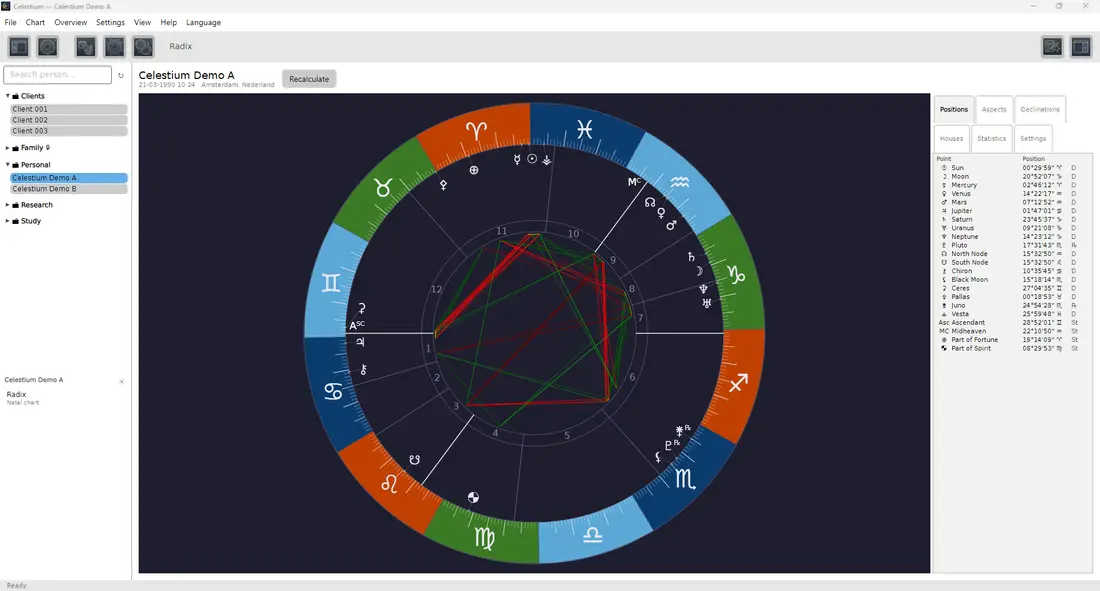
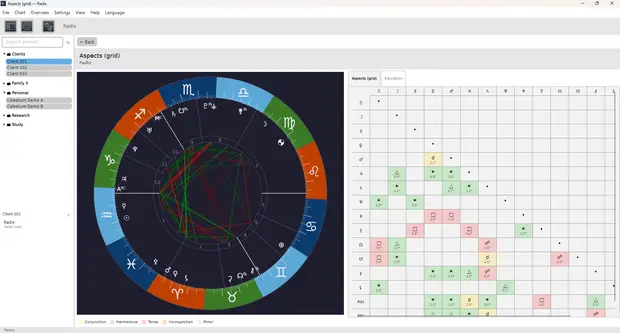
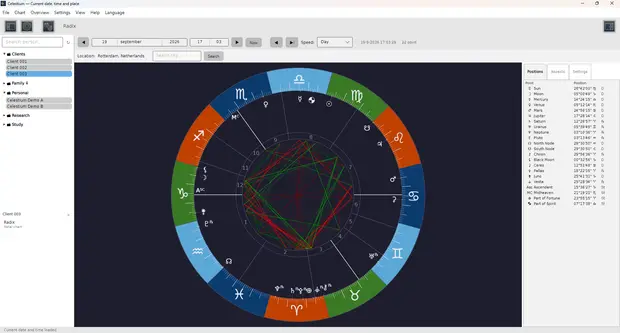
Screenshots from the program itself, using fictional charts.
Try it for fourteen days.
The trial is the complete program. No account, no payment details up front.